
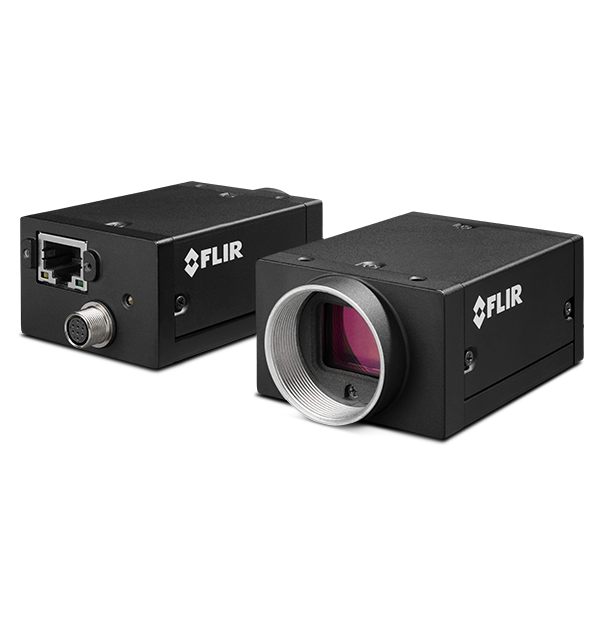
Grasshopper2 GigE(旧款)
Grasshopper®2 GigE相机系列采用Sony CCD传感器。 关于具有全新传感器和先进功能集的FLIR GigE相机,请参阅我们的Blackfly S和Oryx相机系列。
Resources & Support


Below are assets shared by all models of this product family.
For model-specific assets, select an option in the Model Finder above.
You must be logged in to download software or firmware. Please sign in or create an account here.

FlyCapture2 SDK
Spinnaker SDK All Versions for Download

GS2-GE Firmware 1.23.3-00-UG2
Below are assets shared by all models of this product family.
For model-specific assets, select an option in the Model Finder above.

Grasshopper2 GigE Datasheet

GS2-GE GettingStarted

Grasshopper2-GE-CAD
Grasshopper2-GigE Technical Reference

PCN-2020-003 ATMEL Discontinuation
PCN-2021-002 Camera Label Change
PCN-2017-002 Point Grey rebranding to FLIR
PER-2017-001 Serial Number and FlyCapture2 Compatibility
PCN-2014-005A Logo Improvement
PCN-2014-003A Grasshopper2 GigE Change
Contact Support
Your question may be answered in one of our 300+ Knowledge Base articles. Visit our Support Center and search for your product or the topic you have a question about.
Check out our Community Forum for answers and discussion.
To submit a support ticket, visit our Technical Support Center, or call us at +1-604-242-9937 (select option 2).
To request an RMA, please complete our Return and Repair Request Form.