
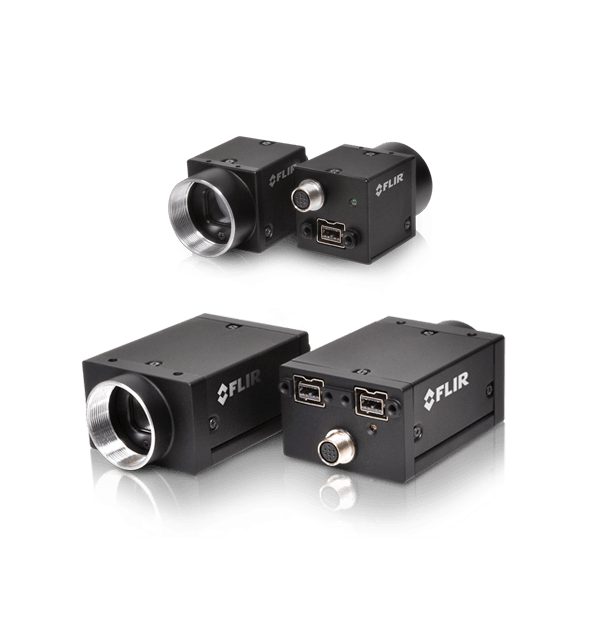
Caméras FireWire (anciennes)
La fabrication des caméras FLIR FireWire approche à sa fin. La date butoir pour passer commande de ces caméras et des accessoires FireWire spécifiques est fixée au 31 décembre 2019. Pour les caméras FLIR dotées des derniers capteurs et des fonctionnalités les plus avancées, veuillez vous reporter aux caméras GigE, 10GigE et USB3. Vous avez besoin d'aide pour remplacer votre caméra FireWire ? Notre équipe internationale des ventes est là pour vous aider. Veuillez cliquer sur le bouton "Demande d'informations" ou nous contacter au numéro de téléphone indiqué au bas de cette page.
Resources & Support

Troubleshooting
My laptop's IEEE-1394 port or PCMCIA card doesn’t supply power to my camera
En savoir plus
Troubleshooting
Image capture freezes with a FireWire camera after a period of successful image capture
En savoir plus
Technical Guidance
Avoiding dropped or missed images in FireWire cameras using FlyCapture1
En savoir plus
Troubleshooting
Performance of 1394 devices may decrease after installing Windows Vista or Windows XP SP2 or SP3
En savoir plus
Technical Guidance
Firewall warning popups appear if all interfaces are enabled, even if not all interfaces are in use
Read the Story
Technical Guidance
Maximum frame rate possible in asynchronous (external trigger) mode
En savoir plusBelow are assets shared by all models of this product family.
For model-specific assets, select an option in the Model Finder above.
You must be logged in to download software or firmware. Please sign in or create an account here.

FlyCapture2 SDK
Below are assets shared by all models of this product family.
For model-specific assets, select an option in the Model Finder above.
FLIR Machine Vision Camera Register Reference
Grasshopper Express Technical Reference
Grasshopper Technical Reference
Grasshopper2-FireWire Technical Reference

Grasshopper Express EMVA Imaging Performance

PCN-2019-001 FireWire Discontinuation
PCN-2018-026 FL2 Discontinuation
PCN-2017-002 Point Grey rebranding to FLIR
PER-2017-001 Serial Number and FlyCapture2 Compatibility
PCN-2014-005A Logo Improvement
Contact Support
Your question may be answered in one of our 300+ Knowledge Base articles. Visit our Support Center and search for your product or the topic you have a question about.
Check out our Community Forum for answers and discussion.
To submit a support ticket, visit our Technical Support Center, or call us at +1-604-242-9937 (select option 2).
To request an RMA, please complete our Return and Repair Request Form.