
Cámaras FireWire (heredadas)
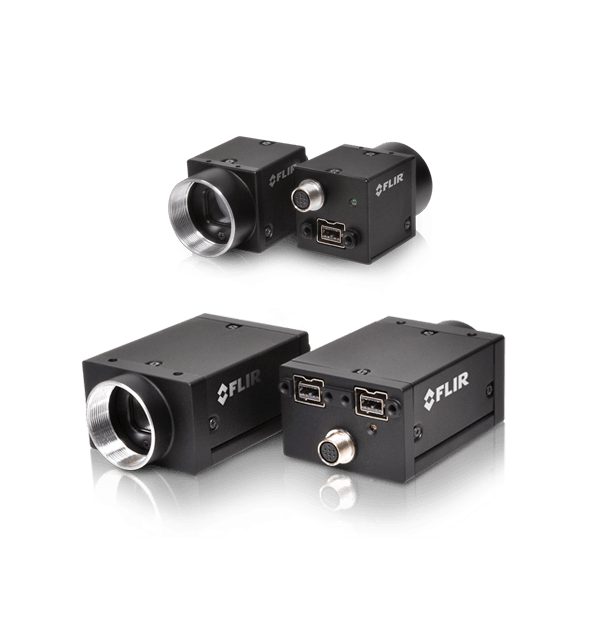
Las cámaras de visión automática FLIR FireWire han sido descontinuadas. La última fecha para realizar pedidos de estas cámaras y accesorios específicos para FireWire fue el 31 de diciembre de 2019. Si busca cámaras FLIR con los sensores más recientes y los conjuntos de características más avanzados, conozca nuestras cámaras GigE, 10GigE y USB3. ¿Necesita ayuda para encontrar un reemplazo para su cámara FireWire? Nuestro equipo de ventas internacionales está para ayudarlo. Visite nuestra sección Contacto.
Resources & Support

Troubleshooting
My laptop's IEEE-1394 port or PCMCIA card doesn’t supply power to my camera
Más información
Troubleshooting
Image capture freezes with a FireWire camera after a period of successful image capture
Más información
Technical Guidance
Avoiding dropped or missed images in FireWire cameras using FlyCapture1
Más información
Troubleshooting
Performance of 1394 devices may decrease after installing Windows Vista or Windows XP SP2 or SP3
Más información
Technical Guidance
Firewall warning popups appear if all interfaces are enabled, even if not all interfaces are in use
Read the Story
Technical Guidance
Maximum frame rate possible in asynchronous (external trigger) mode
Más informaciónBelow are assets shared by all models of this product family.
For model-specific assets, select an option in the Model Finder above.
You must be logged in to download software or firmware. Please sign in or create an account here.

FlyCapture2 SDK
Below are assets shared by all models of this product family.
For model-specific assets, select an option in the Model Finder above.

GS2-FW Getting Started
GX-FW-Getting-Started

ACC-01-0003-Standard-Tripod-CAD
ACC-01-0004-Tripod-CAD
ACC-01-0011-GS-Tripod-CAD
Flea2-Flea3-FW-CAD
Grasshopper-Grasshopper2-GrasshopperExpress-CAD
Dragonfly2 Technical Reference
Flea2 Technical Reference
Flea3 FireWire Technical Reference
Contact Support
Your question may be answered in one of our 300+ Knowledge Base articles. Visit our Support Center and search for your product or the topic you have a question about.
Check out our Community Forum for answers and discussion.
To submit a support ticket, visit our Technical Support Center, or call us at +1-604-242-9937 (select option 2).
To request an RMA, please complete our Return and Repair Request Form.