
FireWire Kameras (veraltet)
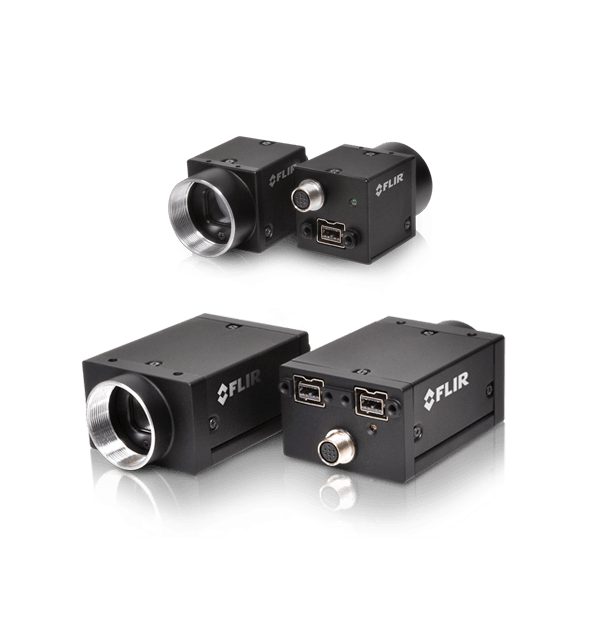
FLIR FireWire Kameras zur industriellen Bildbearbeitung werden bald eingestellt. Der letzte Tag für die Aufgabe von Bestellungen dieser Kameras und des spezifischen Zubehörs von FireWire ist der 31. Dezember 2019. Für FLIR-Kameras mit den neuesten Sensoren und fortgeschrittensten Funktionsgruppen siehe unsere Kameras GigE, 10GigE und USB3. Sie benötigen Hilfe, um einen Ersatz für Ihre FireWire-Kamera zu finden? Unser internationales Verkaufsteam kann Ihnen helfen. Bitte klicken Sie die Taste „Informationen anfordern“ oder rufen Sie uns unter der Telefonnummer unten auf der Seite an.
Resources & Support


Technical Guidance
Using absolute value registers to convert camera property values to real-world units in FlyCapture 1.0 SDK.
Weitere Informationen
Application Note
Buffering a GPIO pin strobe output signal using an optocoupler to drive external devices
Weitere Informationen
Troubleshooting
Some 1394b network configurations cause bus resets and image acquisition problems
Weitere Informationen
Troubleshooting
Configuring Grasshopper GRAS-50S5 to output 5MP images at 15 FPS.
Weitere Informationen
Technical Guidance
GPIO strobe signal continues after isochronous image transfer stops
Weitere Informationen
Technical Guidance
Why do I get a Hardware Installation warning screen when I try to install my camera drivers?
Weitere Informationen
Below are assets shared by all models of this product family.
For model-specific assets, select an option in the Model Finder above.
You must be logged in to download software or firmware. Please sign in or create an account here.

FlyCapture2 SDK
Below are assets shared by all models of this product family.
For model-specific assets, select an option in the Model Finder above.

Dragonfly2 Datasheet
Flea2 FireWire Datasheet
Flea3 FireWire Datasheet
Grasshopper Datasheet
Grasshopper Express Datasheet
Grasshopper2 FireWire Datasheet

Dragonfly2 Getting Started Manual
FL3-FW Getting Started
Flea2 Getting Started Manual
GRAS Getting Started
Contact Support
Your question may be answered in one of our 300+ Knowledge Base articles. Visit our Support Center and search for your product or the topic you have a question about.
Check out our Community Forum for answers and discussion.
To submit a support ticket, visit our Technical Support Center, or call us at +1-604-242-9937 (select option 2).
To request an RMA, please complete our Return and Repair Request Form.